Unsafe website?
Unsafe website?
Mg. en Ing . Carlos Gerardo Said

Cybercrime is a industry and you are its next potential victim unless you are careful about what sites you visit, what links you click, and what files you download. The number of fraudulent websites jumped by 94% between 2020 and 2023 to reach 13 million. Google blocks around 100 million phishing emails every day.
Your best bet is to stay alert and keep the points we are going to discuss in mind the next time you take your browser for a tour.
What characterizes an unsafe website?
Let us look at some key characteristics of an unsafe website.
- The website does not carry an SSL certificate.
- It has hidden links – for example, you try to hit the play button on a video and it opens a new page.
- It has too many pop-ups.
- Buttons don’t take you where they’re supposed to.
- The design is a bit off from what you are familiar with (this applies only to known websites).
5 ways to check if a website is safe
If you know where to look and what to look for, it will take you less than a minute to perform a quick triage of a website once you land on it (even before you enter it).
Look for the ‘s’ after the ‘http’
The URL bar on every website is a clear indicator of whether the website has the basic security measures in place to protect the users’ privacy. A URL that starts with https, indicates that the site has an SSL certificate. That means, it encrypts the data transferred from your computer to the website.
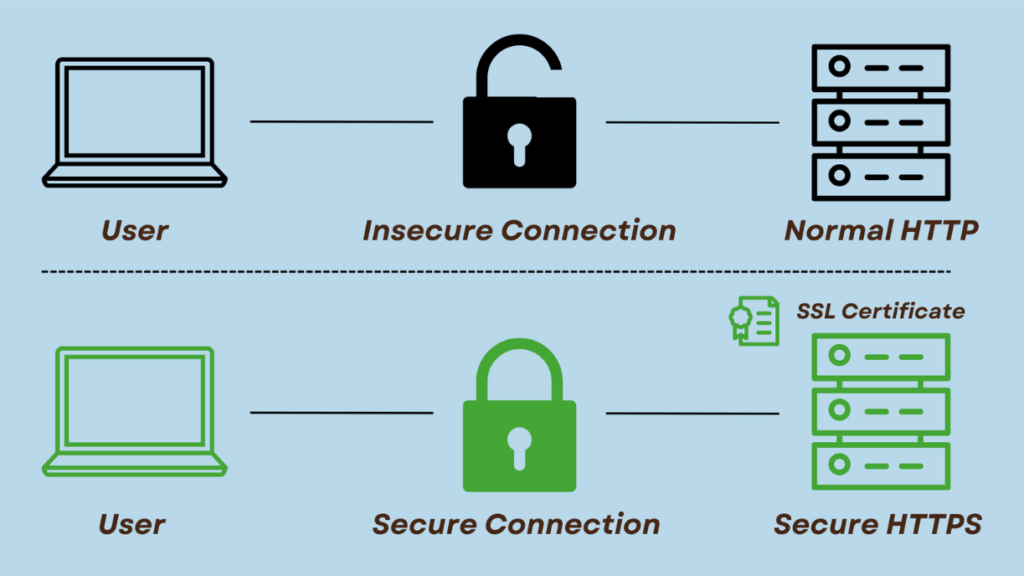
If the s after http is absent on a website’s URL, you’d be well advised to not interact with it. It’s advisable even not to click the close button on the webpage. You don’t know if it is linked with a link. It is better to close the browser from your taskbar.
Verify the security seals
Security seals provided by established security brands are supposed to be an indicator of safety. But don’t go on the face value of such seals. Click them, and see if a verification page opens that attests to the safety of the website.
Look for the Privacy policy
At the bottom of a legitimate website, you’ll find a Privacy tab. You can see the privacy policy by accessing that tab. Look for a clearly defined data collection and usage policy. If continue on the website only if you agree with such policies. If you fail to find the Privacy page, that’s a red flag. You should be careful about sharing any significant data with such a site.
Pause and look before clicking
Contact the owner if in doubt
So, you really like something that a website has to offer and you want to make a purchase. But, you are not convinced about the safety of its payment gateway and the overall payment mechanism.
You should look for the contact information and get in touch with the owner of the site or an authorized representative. In most of the fake sites, you won’t even find pursuable contact information. On legitimate sites, you should be able to easily talk to the seller.
Finally, make a habit of running new URLs through a URL checker
URL checkers like Google Safe Browsing are available for free. Just paste it onto a URL checker first. It will give you some insights into the website’s health. If all looks good, go ahead and open it, else, take a raincheck.
What’s the harm in visiting unsafe sites?
Malware infection
An unsafe website or an infected site can be rigged with links to download malware payloads. You click the link, and a piece of malware is downloaded to your machine. This can lead to a ransomware infection where your files and systems are taken hostage. Or, the malware might give remote access to your system and resources to a hacker. That in turn can lead to a whole lot of new problems – to begin with, identity theft and credential theft.
Phishing
You land on a replica of your favourite website and try to log in with your credentials. Unfortunately, it’s a phishing site and it just stole your credentials to access your account on that specific service. If you use the same credentials for other accounts, all of them are now compromised.
Monetary loss
Duplicates of legitimate shopping sites are available in abundance. You just have to be unfortunate enough to land on one. Fraudulent sites are more sophisticated now than they ever were – sometimes even the most savvy users are fooled.
Contract violation and legal trouble
If these things happen to you while you are connected to your company’s network, the trouble is even bigger. In a situation like that, you jeopardize the safety of data and resources belonging to your company and their customers on top of compromising your personal data.
You can be held in violation of your contract, you might push your company towards penalties and reputation loss, and you might incur legal steps


Comments
Post a Comment